Accessing a Workspace to Analyze
Code Insight 6.14.2
This chapter describes how to access workspaces to analyze.
To schedule a scan and later analyze that scan, you need first to choose the workspace for which you want to analyze scan results.
To choose a workspace, do the following:
| 1. | Click the My Projects button. |
| 2. | Click the name of the project. |
| 3. | Click the Workspace tab. |
| 4. | Select a workspace to scan by clicking on the workspace link in the Name column. |
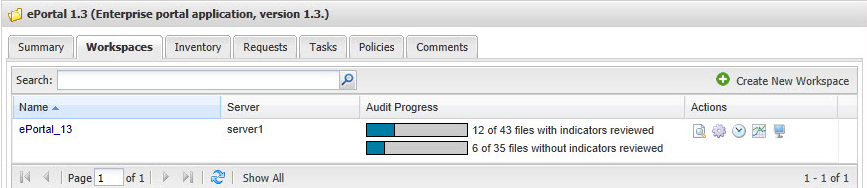
| 5. | Click the Schedule Scan/Report button. The Schedule/Scan Report dialog appears with a list of available reports to generate. |
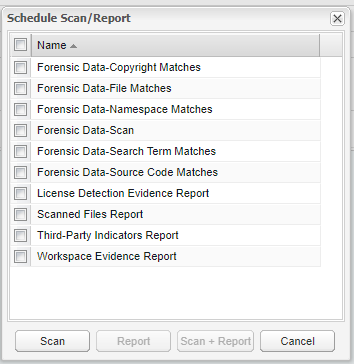
| 6. | Click a specific report checkbox. You have the option to generate a report only or a scan and a report. |