Creating New Projects
Code Insight 6.14.2
Use the following procedure to create a new project.
To create a new project, do the following:
|
1.
|
On the Administrator Home page click the Home button in the top left-hand corner. |
|
2.
|
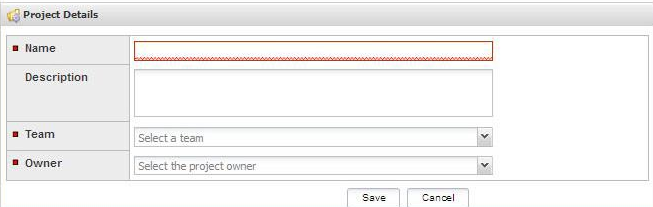
Select the Create a new project link. The Project Details page appears: |
You may also use Administrationà Project option on the Main menu bar to navigate to the administration pages.
|
3.
|
On this page, enter the following: |
|
•
|
Name: Name of the project |
|
•
|
Description: Brief description of the project |
|
•
|
Team pull-down menu: Select the team to which this project belongs |
|
•
|
Owner pull-down Menu: The project owner. Project owners have permission to create, delete, and modify certain types of data. |