Displaying Copyrights
Code Insight 6.14.2
To display copyrights, perform the following steps.
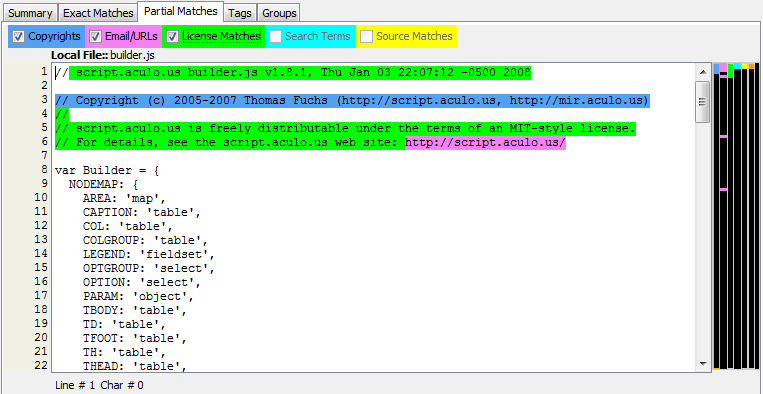
To display copyrights, do the following:
| 1. | A list of detected copyright holders is available in the Copyrights tab in the top panel in Detector. |
| 2. | Click the node in the file tree for which you wish to review detected copyrights. |
| 3. | Select the Partial Matches tab in the file details panel and ensure that the Copyrights checkbox is checked to view the detected copyrights. Copyrights are highlighted in blue, and the corresponding vertical color bar to the right of the panel indicates matches which exist within the currently selected node in the file tree. |