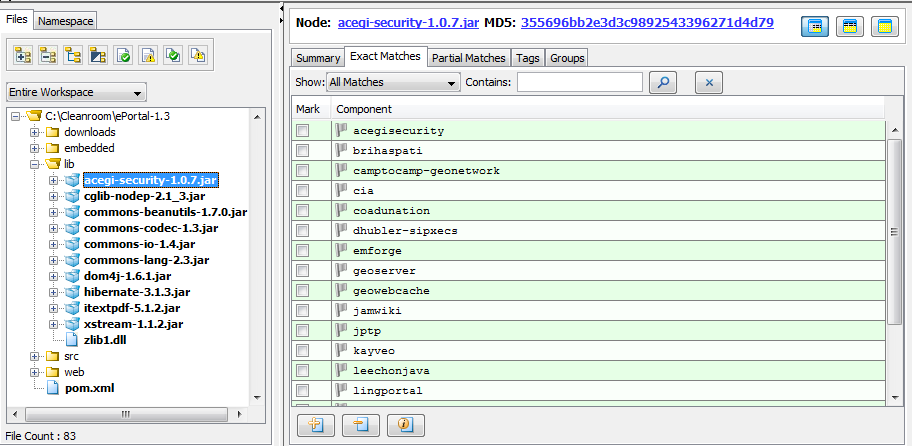
Displaying Only Exact Matches
Code Insight 6.14.2
To filter the file tree to display only exact matches, perform the following steps.
To filter the file tree to display only exact matches, do the following:
| 1. | Click the node in the file tree for which you wish to review exact file matches. |
| 2. | Select the Exact Matches tab in the File Details panel. This shows a list of components that include files that are an exact (bit-for-bit) match to the currently selected node in the file tree. Policy icons indicate the component policies that exist for each row. |
| 3. | There are three action buttons below the table that allow you to remove a component from the list, add a component to the list, or ignore a particular match from the list. |