My Settings
Code Insight 6.14.2
To update your settings, do the following:
| 1. | Log into Code Insight and click My Settings in the top right-hand corner. The My Settings page appears. |
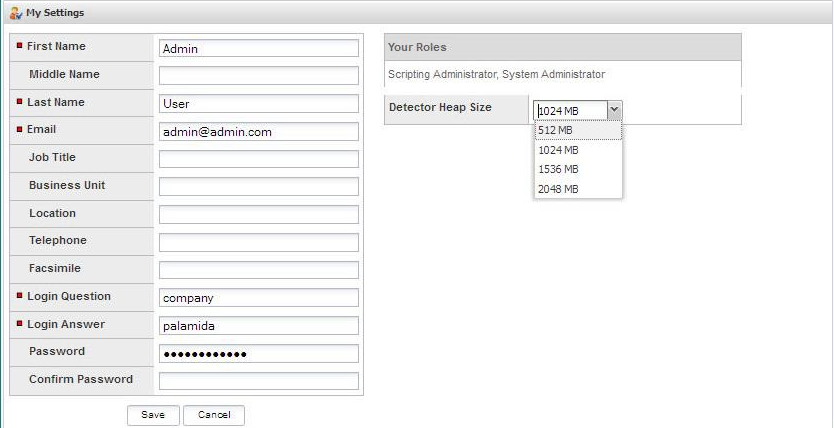
| 2. | Enter or update the information in any of the fields. |
| 3. | Select the appropriate value from the Detector Heap Size pull-down menu. |
| 4. | When you finish entering and updating information, click Save. |