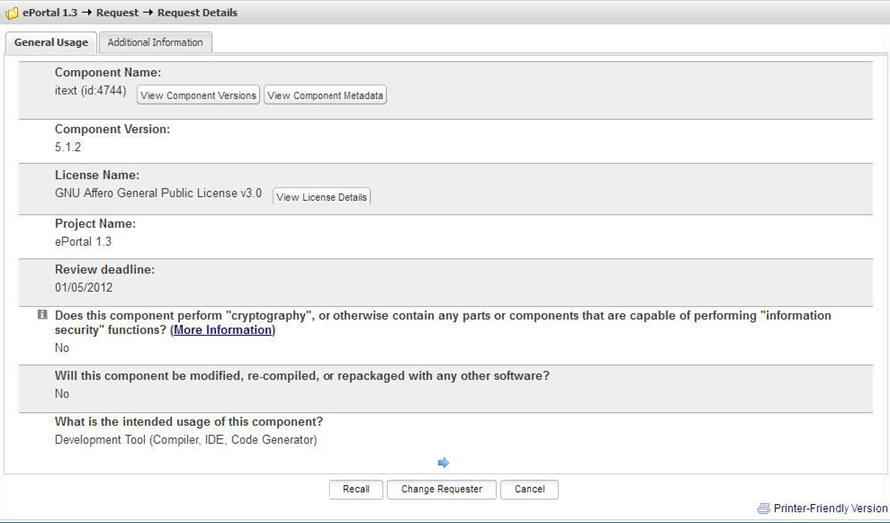
Viewing Request Details
Code Insight 6.14.2
To view request details, do the following:
| 1. | Log into Code Insight as a Requester. The Requester Home page appears. |
| 2. | Click My Projects. The My Projects page appears. |
| 3. | Choose a project, and click the associated magnifying glass in the Actions column. |
| 4. | Select the Request tab: |
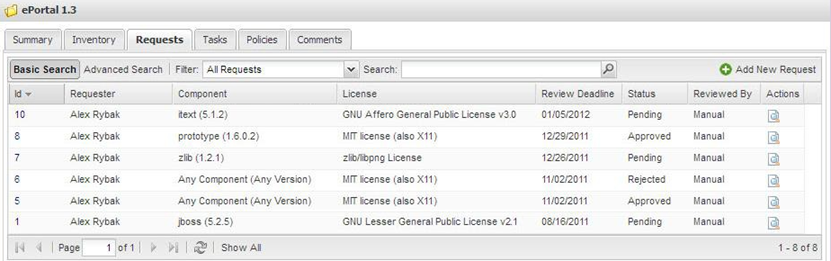
| 5. | Select the magnifying glass next to the request you want to view. The General Usage tab appears: |