Viewing Requests
Code Insight 6.14.2
To review requests related to your role, do as follows:
| 1. | Log into Code Insight. |
| 2. | Click My Projects, and then click the magnifying glass in the Actions column. |
| 3. | Select the Requests tab. |
| 4. | If you log in as an Owner, you can select All Request, Completed Requests, My Submitted Requests, Requests Requiring My Action, Associated Requests, Unassociated Requests: |
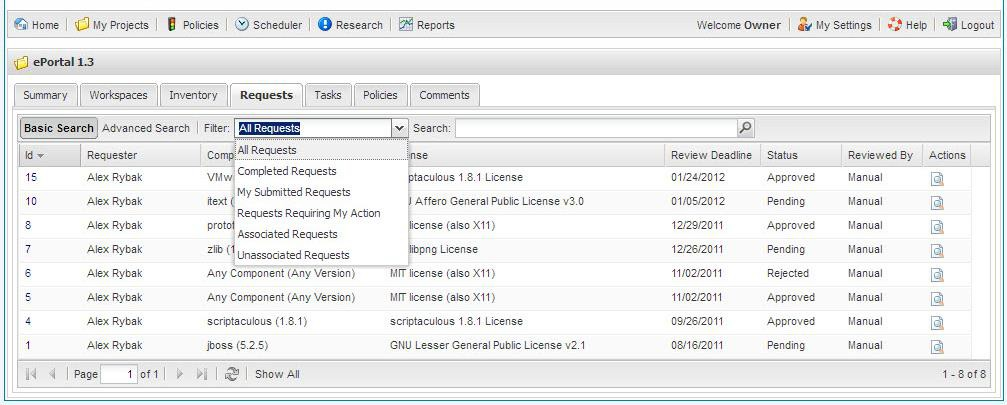
Note:If you are logged in as a Requester, you see another filter at the bottom of the My Draft Requests list.