Associating Inventory with Requests across Projects
Code Insight 6.14.2 SP1
To search for a request across multiple projects when associating inventory, the inventory item and request must share a Product Catalog item.
To associate inventory with Requests across projects, do the following:
| 1. | Associate the Product Catalog item with the given project. |
| 2. | Associate the Product Catalog item with the request. |
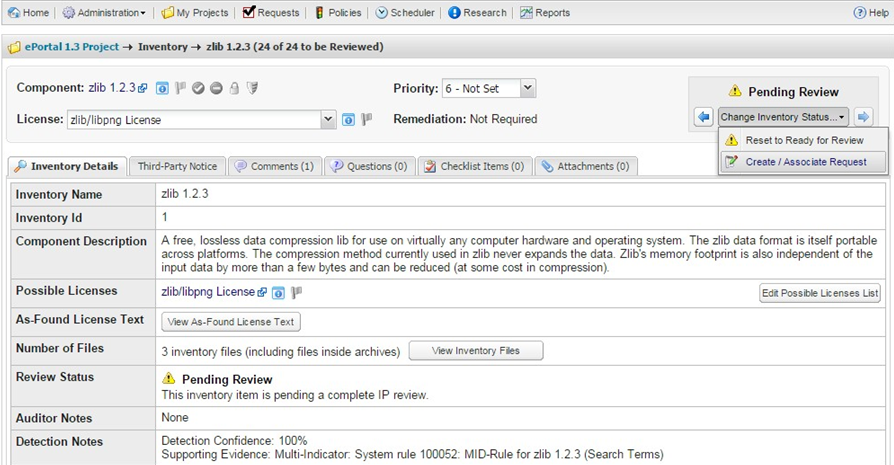
| 3. | From the associated project, create an inventory item that matches the request component, version and license. |
| 4. | Schedule a Full Review for the inventory item and select the option to Associate the Request: |
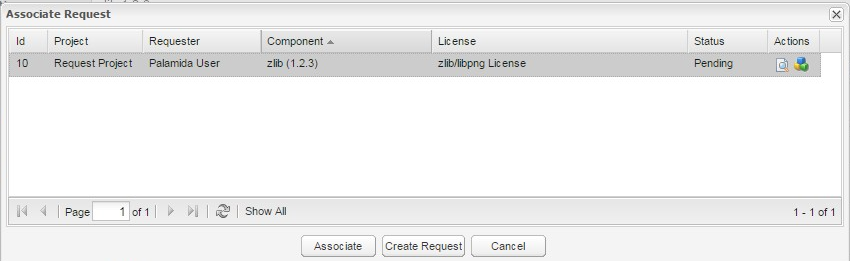
The request is available in the search results based on the Product Catalog association.