Viewing, Editing and Associating Product Catalog Items
Code Insight 6.14.2 SP1
To edit a Product Catalog Item, do the following:
|
1.
|
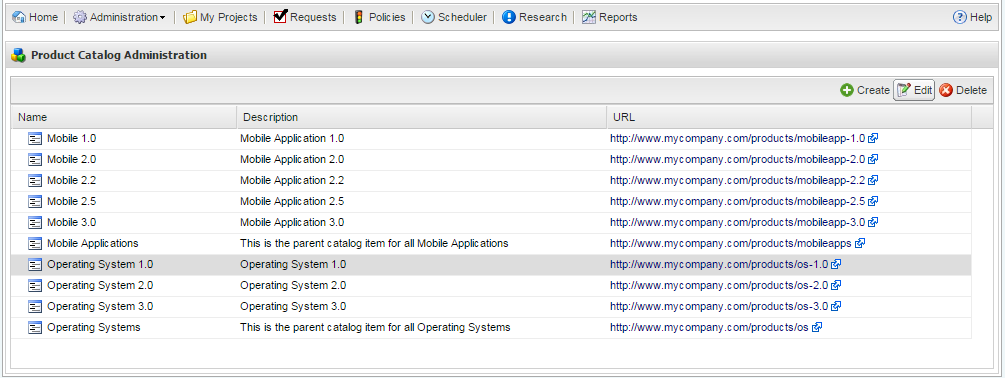
Select the item on the Product Catalog Administration page: |
|
2.
|
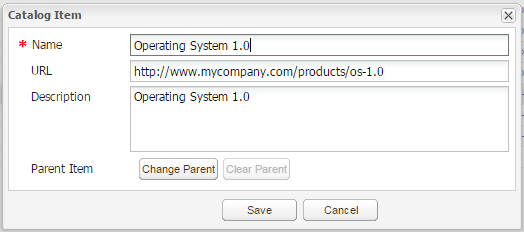
Click the Edit button. The Catalog Item dialog appears: |
|
3.
|
Modify the Catalog Item information: |
|
4.
|
To edit the hierarchy of a Product Catalog Item by changing the parent on the item, click the Change Parent button in the Catalog Item dialog and select a parent to assign to the item. |
Note:A catalog item can have only one Parent catalog item at any given time. A Parent catalog item can have more than one child at any given time.
|
5.
|
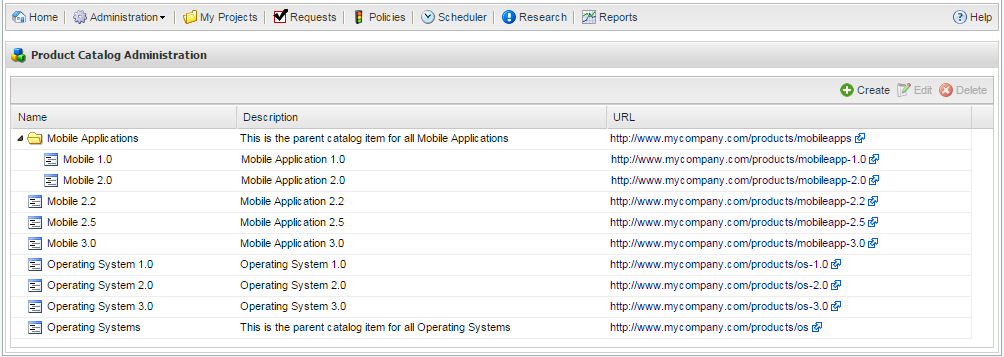
Click Save. Items that are parents are displayed with a folder icon in the Product Catalog Administration list. |