Adding Files to a Group
Code Insight 6.14.2 SP2
To add a files to a group, perform the following steps.
To add files to a group, do the following:
| 1. | Navigate to the file tree. |
| 2. | Right-click a single file or a directory (if you want to add all files within that directory). |
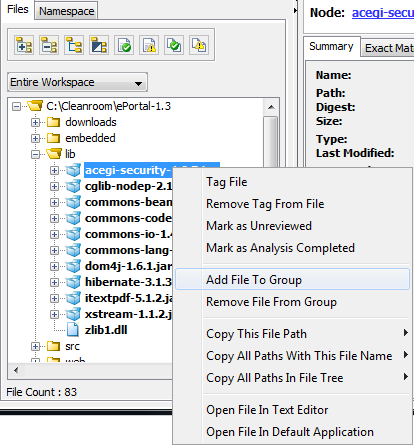
| 3. | Select Add File to Group. The Add to Group dialog appears. |
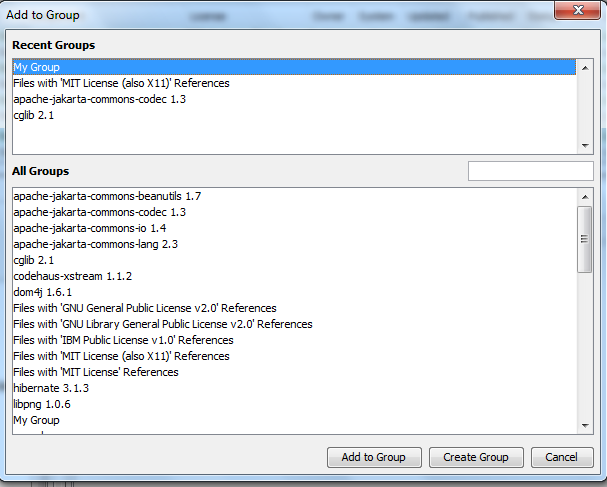
| 4. | Select a group you want to add the file. |
| 5. | Click Add to Group. |