Viewing Inventory Items
Code Insight 6.14.2 SP2
To view inventory item details, do the following:
|
1.
|
Log into Code Insight. |
|
2.
|
Click the My Projects button in the Main menu bar. |
|
3.
|
Select the view magnifying glass icon in the Actions column next to the project name containing the component for which you wish to view version details. This opens the Project Details tabbed page |
|
4.
|
Click on the Inventory tab on the Project Details page. |
|
5.
|
Select the inventory item you wish to view, and click on the magnifying glass icon associated with that item. The Inventory Details tab appears. |
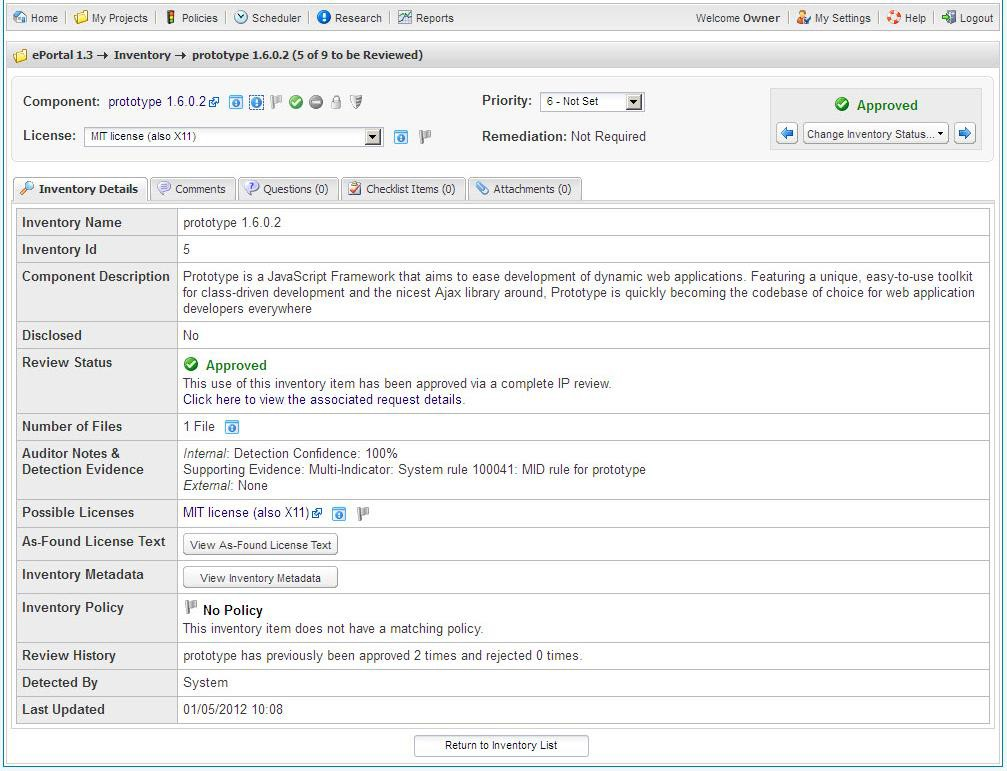
The Inventory Details tab contains all the information necessary to determine whether to approve, reject, or schedule a full review for the item.