Device Management Issues Resolved in 2026.03
The following issue involving the management of devices was resolved in the 2026.03 release.
Device Model Creation Button Now Fully Functional
(Case 02973538, SWM-24584)
This release resolves an issue where users were unable to create a device model (under Administer > Create Device Model), because the Add button in the Add Pre-Installed Product dialog did not respond. The issue prevented administrators from adding a selected pre-installed product to the new device model, effectively blocking completion of the workflow. This affected users in the following scenarios:
| • | Administrators attempting to configure new device models in the Device Management workflow. |
| • | Any situation where a pre-installed product needed to be added to a model as part of the creation process. |
In FlexNet Operations 2026.03, the Add button now works as expected, allowing pre-installed products to be added and device models to be created without workarounds.
The following screenshot shows the Add Pre-Installed Product dialog with the Add button:
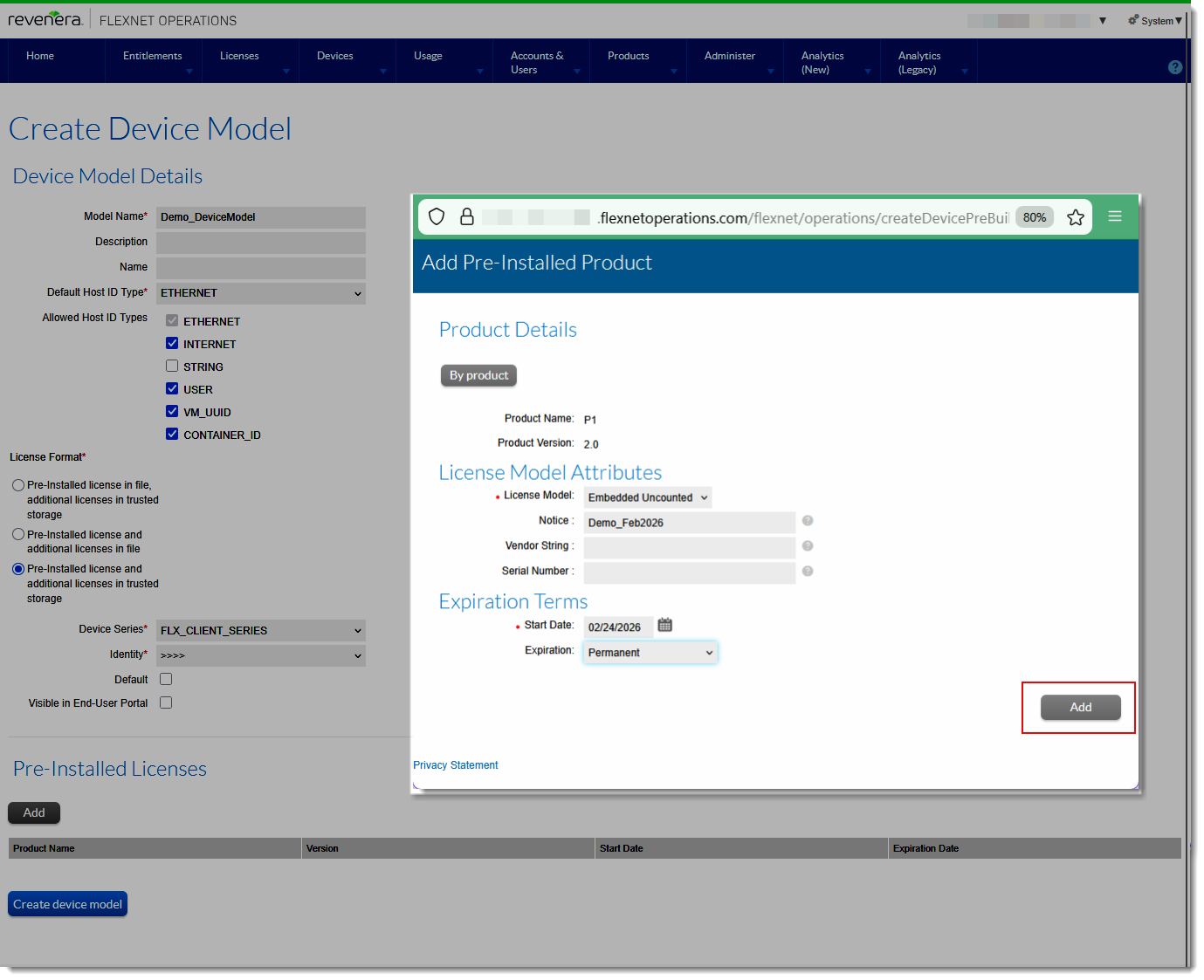
Clicking Add on the Create Device Model page opens the Add Pre-Installed Product dialog, with the (previously unresponsive) Add button.