User Experience Enhancements in 2026.02
The following user experience enhancements were added in the 2026.02 release:
| • | Environment Details in Producer Portal Footer |
| • | Easier Navigation from Line Items to Associated Devices |
Environment Details in Producer Portal Footer
(Case 02907179)
The FlexNet Operations Producer Portal footer now shows Environment, AWS Region, and Silo ID, giving customers quick visibility into the AWS shard hosting their deployment.
Implementation Details
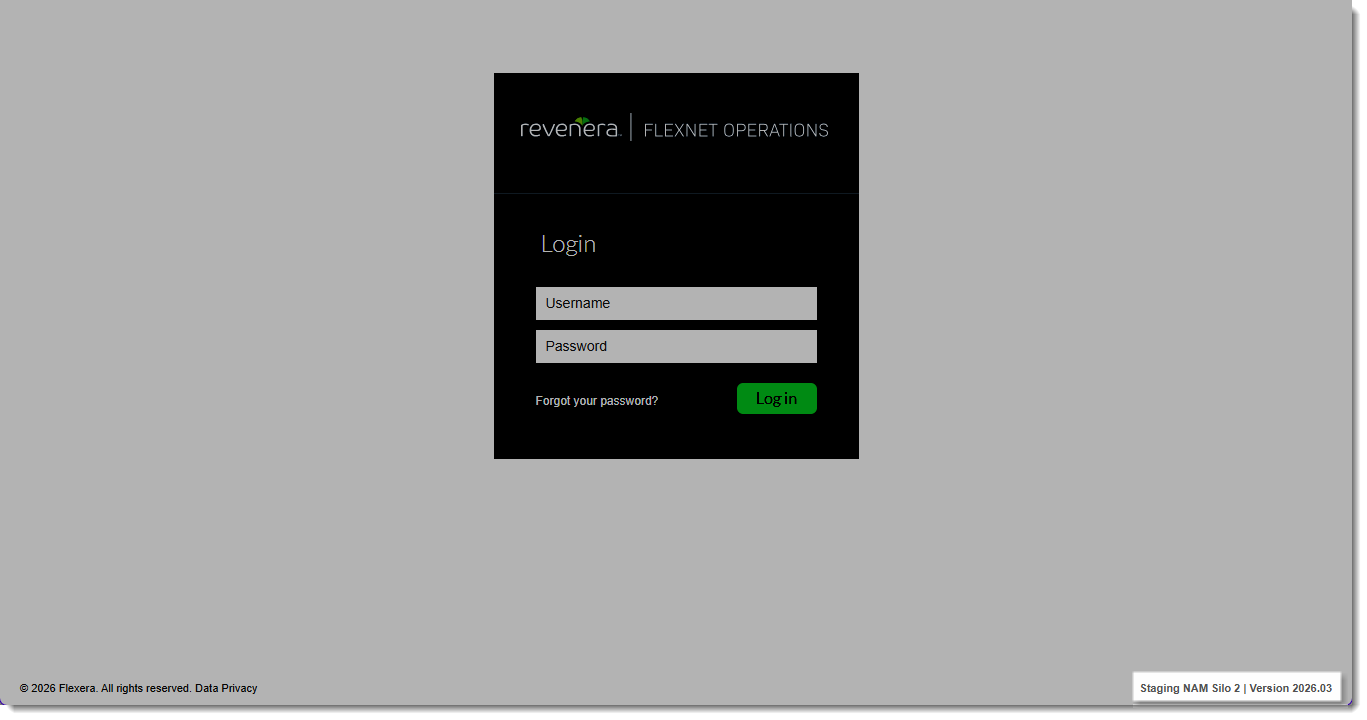
In the bottom right corner of every page, the footer displays the following:
| • | Environment: Production, UAT, PCS, QA or Staging |
| • | Region: NAM or EU |
| • | Silo: Dynamically retrieved silo number based on request headers passed from API Gateway |
The following screenshot shows an example of the new footer on the Producer Portal login page for a staging environment:
Customer Benefits
Users now have immediate access to shard-specific environment details without needing backend access or support intervention. This enhancement:
| • | Improves customer autonomy when troubleshooting |
| • | Ensures correct mapping to status page components |
| • | Simplifies communication with Technical Support |
Easier Navigation from Line Items to Associated Devices
(Case 02870391)
A new column named Associated Devices/Servers has been introduced in the Line Items section of the Entitle Customers To Licenses | Create An Entitlement page in the Producer Portal. This enhancement is applicable only for FlexNet Embedded products and provides additional device-related insights.
Behavior of Associated Devices/Servers Column
| • | Displays an icon  for FlexNet Embedded products. for FlexNet Embedded products. |
| • | Hovering over the icon shows a tooltip with the text: “Show devices/servers associated with Actication the icon opens the associated Devices page in a new browser window. |
The following screenshot shows how the Associated Devices/Servers column with the new icons appears in the UI:
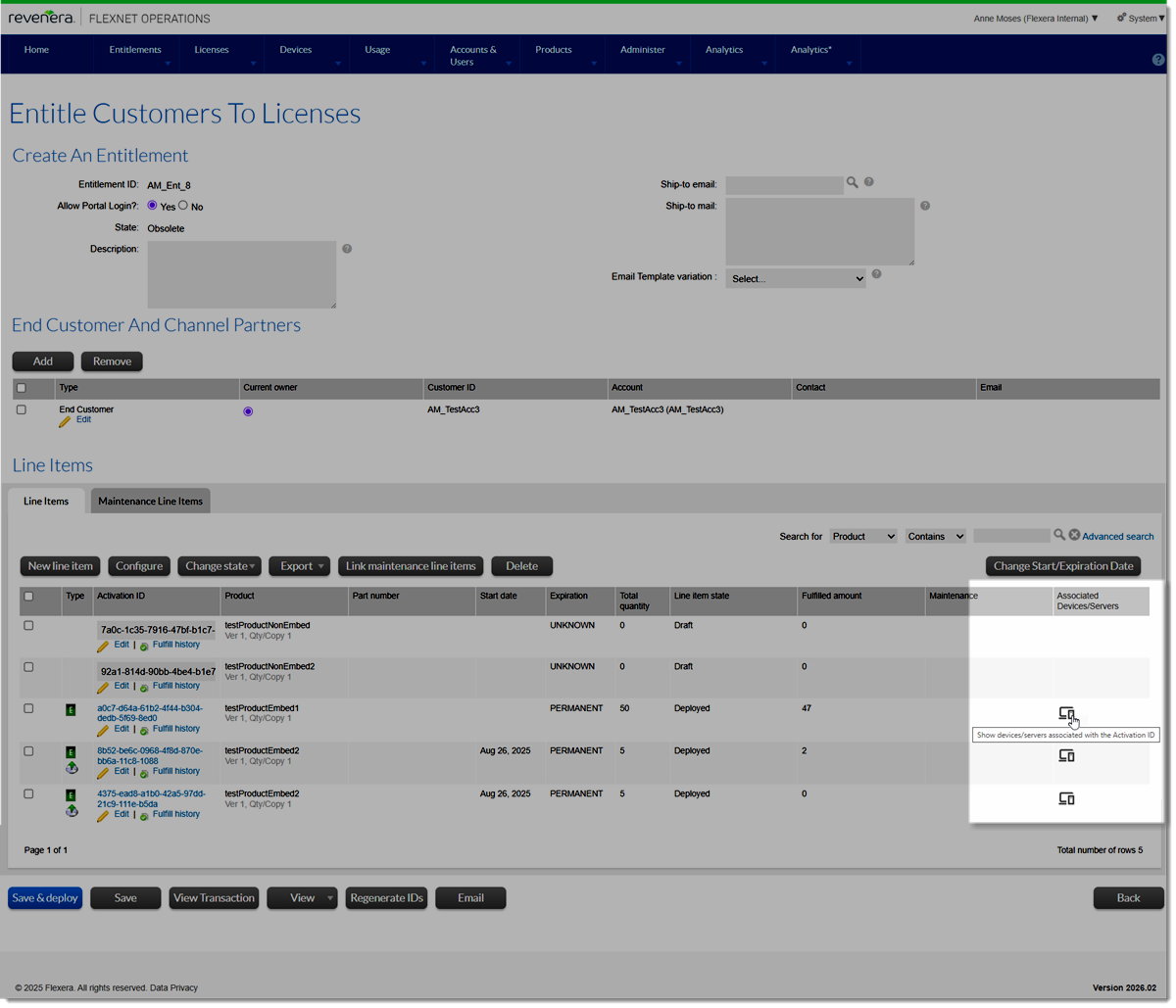
Clicking an icon in the Associated Devices/Servers column opens the Devices page which lists the devices or servers associated with the line item.
Content of Devices Page
| • | On the Devices page, the list of devices is pre-filtered by the activation ID to show the related devices. |
| • | Clicking the hyperlinked server/device name or ID on the Devices page opens the device view (unchanged behavior). |