User Experience Enhancements in 2026.07
The following user experience enhancements were added in the 2026.07 release:
| • | Configuring Email Preferences in the End-User Portal |
| • | Quick Search for Entitlements in End-User Portal |
Configuring Email Preferences in the End-User Portal
(Case 04309093)
End users can now manage their email preferences directly from their Edit User Profile page in the End-User Portal. This enhancement provides greater control over the types of emails users receive from FlexNet Operations.
Available Email Options
The new Email Preferences section allows users to select one of the following options:
| • | Receive all system emails (default)—Includes system, account, and product update notifications. |
| • | Do not receive system emails—Blocks most system emails, except for required communications such as welcome emails and password reset notifications. These required communications are sent only if the corresponding email template has its status set to Active and its Send Indicator is set to true. |
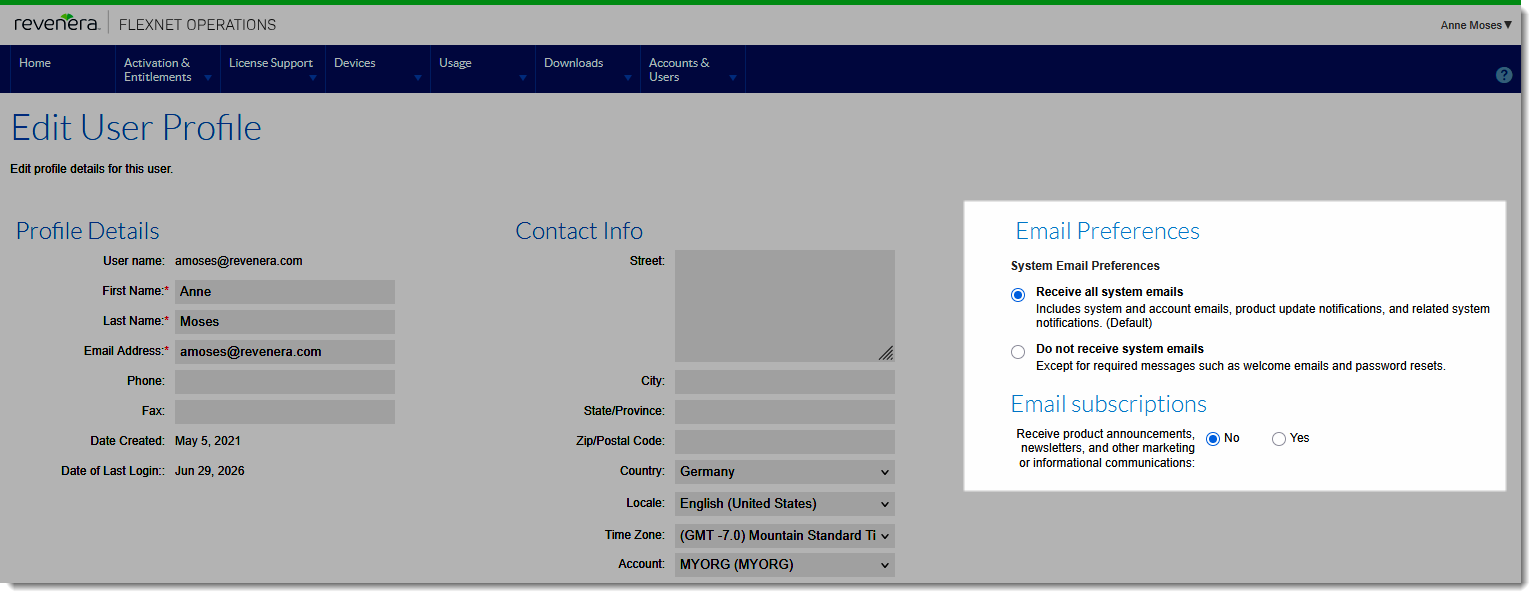
The new Email Preferences options on the Edit User Profile page.
Additional Information
| • | Email preference settings apply to all End-User Portal users. |
| • | Certain essential communications (such as welcome emails and password resets) are always sent regardless of preferences. |
| • | By default, all users are set to Receive all system emails. Users can change their preference at any time from their Edit User Profile page in the End-User Portal. |
| • | Existing alert and subscription preferences are not affected by the new options. Users can continue to subscribe or unsubscribe from alerts independently. |
Updates to Existing Options
| • | Expiring entitlements email functionality remains unchanged but has been moved to the Email Preferences section. |
| • | Opt in to receive email has been renamed to Receive product announcements, newsletters, and other marketing or informational communications and moved to the Email Subscriptions section. This setting indicates whether a user has agreed to receive marketing communications (sent through external marketing systems). |
Impact on Email Delivery
User email preferences affect how emails sent by producers are delivered when triggered from the List Entitlements page (Email action):
| • | If all selected recipients have chosen Do not receive system emails, the email is not sent. FlexNet Operations displays the following error message: |
“The email cannot be delivered because all recipients have email preferences that block it.”
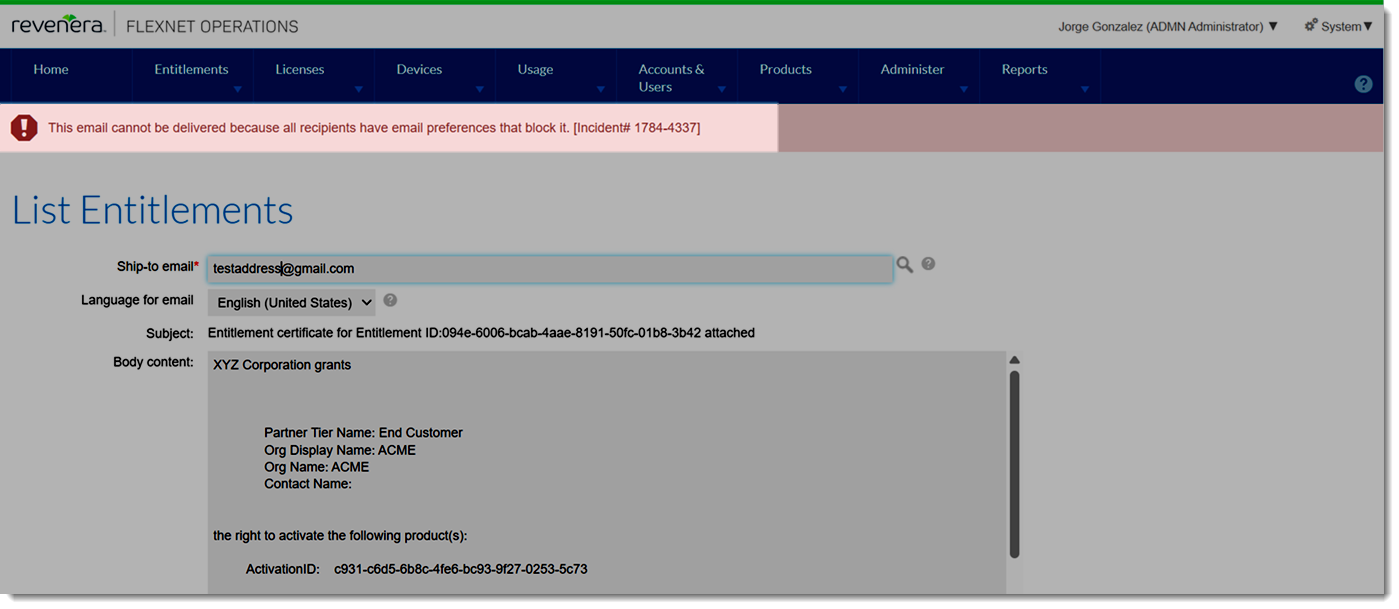
Error message displayed when all recipients block emails.
| • | When sending emails to multiple recipients, delivery is evaluated for each recipient based on their individual preferences. If some recipients have opted out, the email is delivered only to eligible users. FlexNet Operations displays the following notification: |
“Some of the recipients did not receive the email because of their email preferences.”
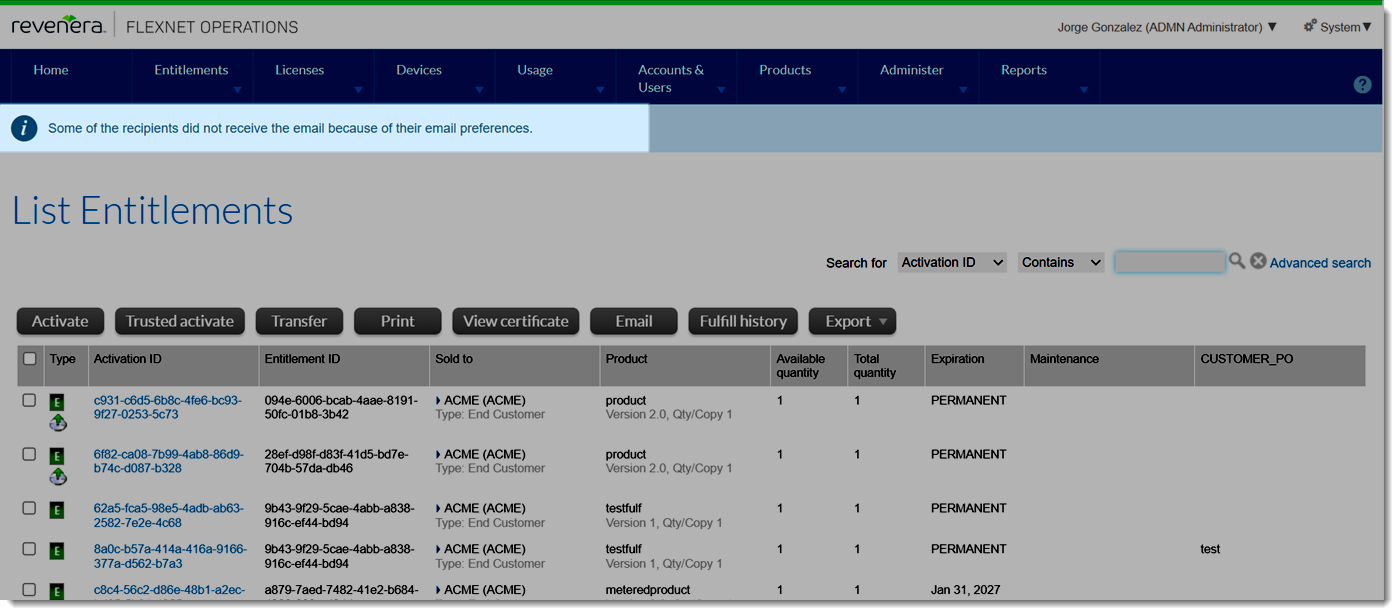
Notification displayed when some recipients do not receive the email.
Note:This functionality is enabled by default. Producers who do not want the Email Preferences options displayed in the End-User Portal should contact Revenera Support to have these options hidden.
Quick Search for Entitlements in End-User Portal
(Case 04878417)
A Quick Search capability is now available in the End-User Portal, enabling users to quickly locate entitlements without navigating through multiple menu pages.
The new Quick Search tile on the home page allows users to search for entitlements using selected criteria:
| • | Line Item Order ID |
| • | Entitlement ID |
| • | Activation ID |
| • | Product |
| • | Sold to Account Name |
| • | Sold to Account ID |
The search supports the following operators: Contains, Equals, Starts With, and Ends With.
Search results are automatically displayed in the List Entitlements page, filtered based on the selected search criteria. The user experience is consistent with the quick-search functionality in the Producer Portal, providing a familiar and intuitive search workflow.
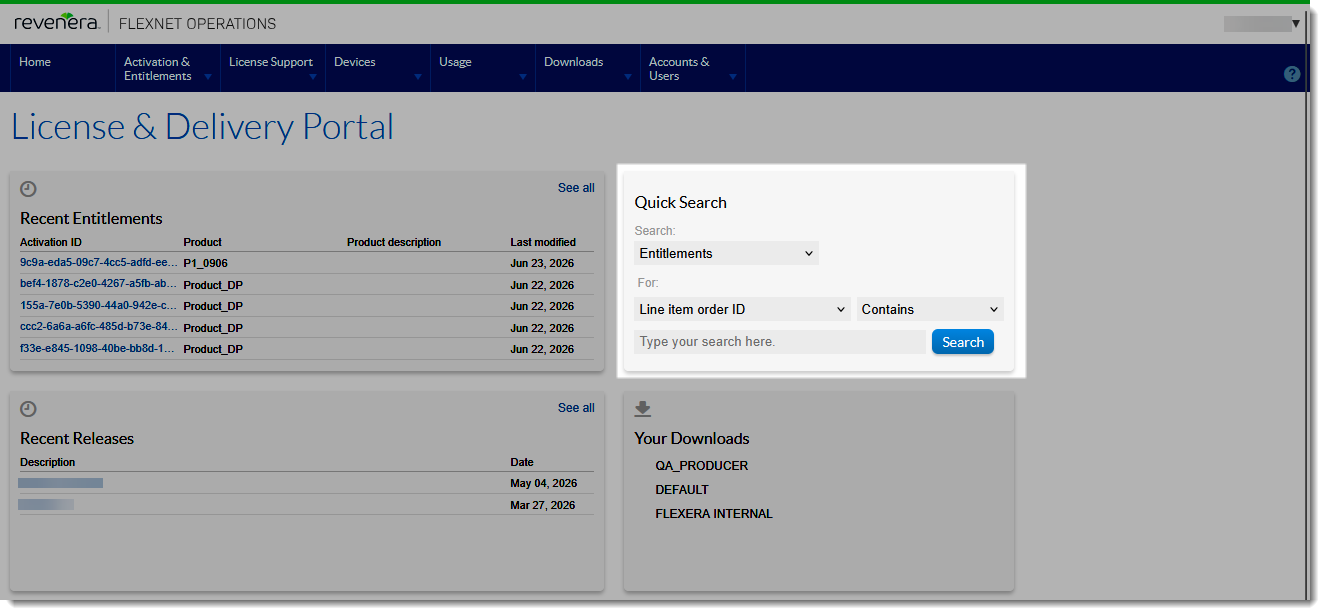
The new Quick Search tile for quickly locating entitlements that match specified search criteria.
The Quick Search widget is rendered only when all of the following conditions are satisfied. If any one is not met, the widget is suppressed silently with no error shown to the user:
| • | Configuration option Hide Activation & Entitlements menu must be unselected (under System > Configure > End-User Portal Setup > Portal Navigation). |
| • | The logged-in user must hold the View Entitlements permission (listed on the Edit Role page under Account Permissions - End-User Portal). This ensures that users only see entitlements within their authorized scope. |