Adding a Device
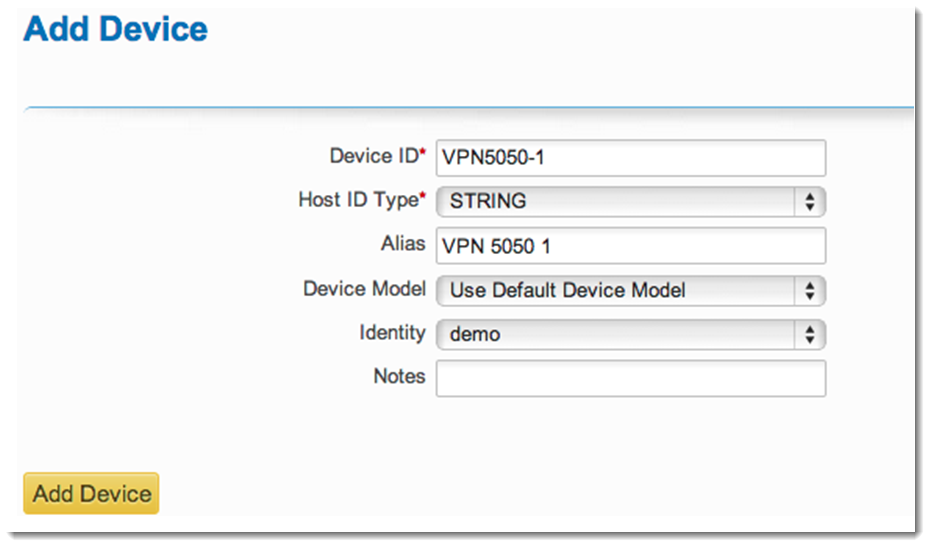
Use the following steps to add a device. For settings on the Add Device page that are not specified in the steps, below, no changes are necessary.
To add a device:
|
1.
|
Select the Manage Hosts menu then click Add Device. |
|
2.
|
Type a unique identifier for the device in the Device ID field. For this example, use VPN5050-1. |
|
3.
|
Type a description for the device in the Alias field. For this example, use VPN 5050 1. |
|
4.
|
Select the identity you created earlier from the Identity drop-down menu. In this example, we have used demo. |
|
5.
|
Type additional information as needed in the Notes field. This is optional. |
|
6.
|
Click Add Device. A message appears indicating that the device was added successfully. |