Log Analysis Page
The Log Analysis page in the lmreporter is designed to analyze the debug log files and present insightful graphs based on those uploaded debug log files. Follow the steps below to leverage this feature:
| • | Upload debug log files—To initiate graph generation, you need to specify the location of the debug logs folder. In the Import Log Files area of the Create Report page, specify or browse to the the Log File Location, and then click Import. |
.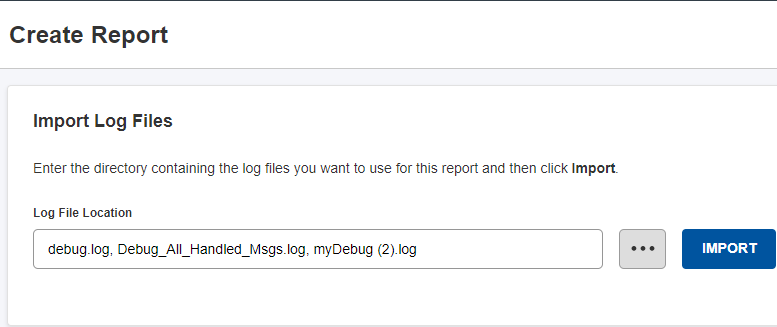
Upload Debug Log Files
| • | Import and view server information—After you click Import, the server infomation is displayed. The following server information is displayed: |
| • | First Start Date and Last End Date of the log |
| • | Vendor(s) (Vendor Daemon) name |
| • | License Server Host(s) name |
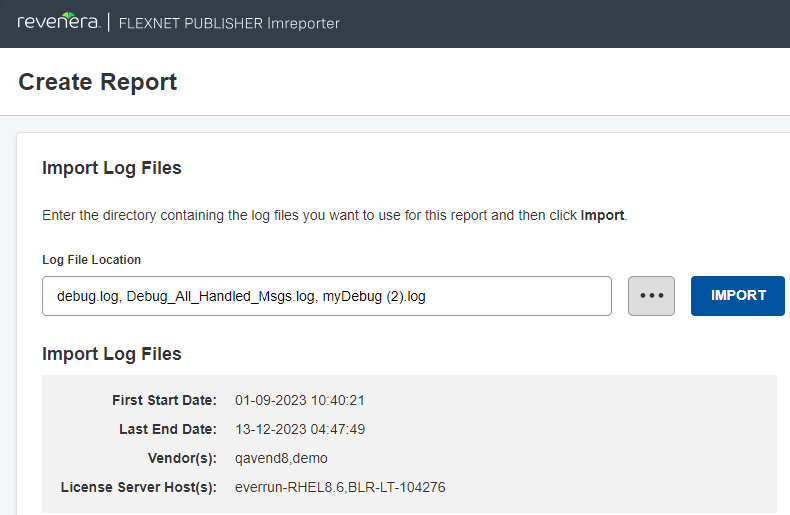
Server Information
| • | Generate Reports—After importing the debug log files, select a specific feature and (if more than one is specified) a vendor daemon from the drop-down menus. The following displays selecting a specific feature from the Select Feature With Usage drop-down: |
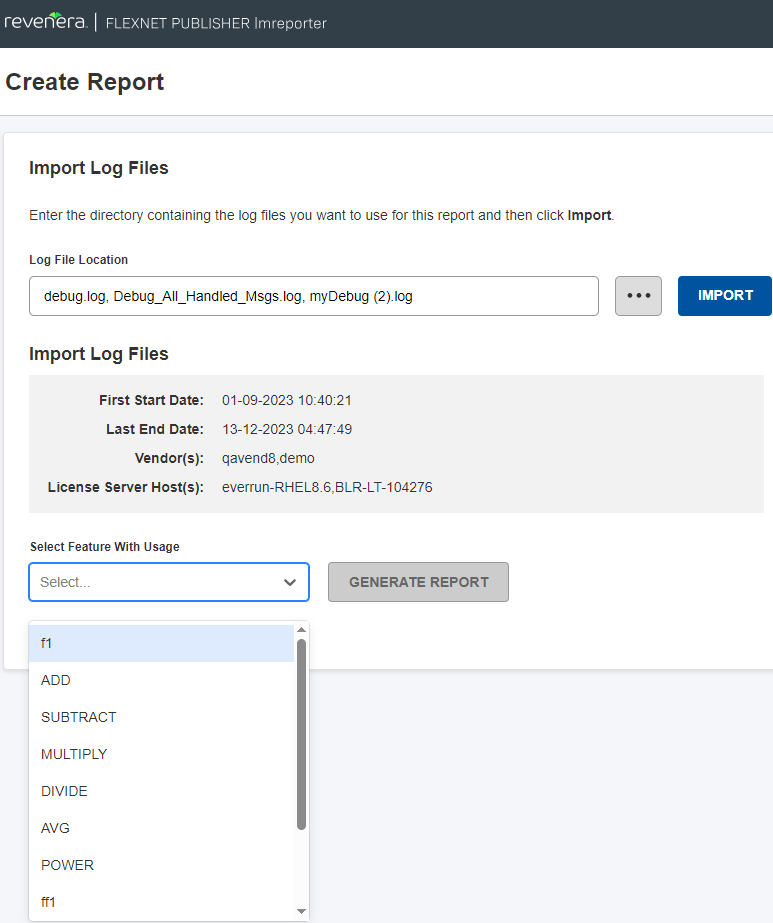
Select Feature With Usage Drop-Down
The following displays selecting a specific vendor daemon from the Select Daemon drop-down:
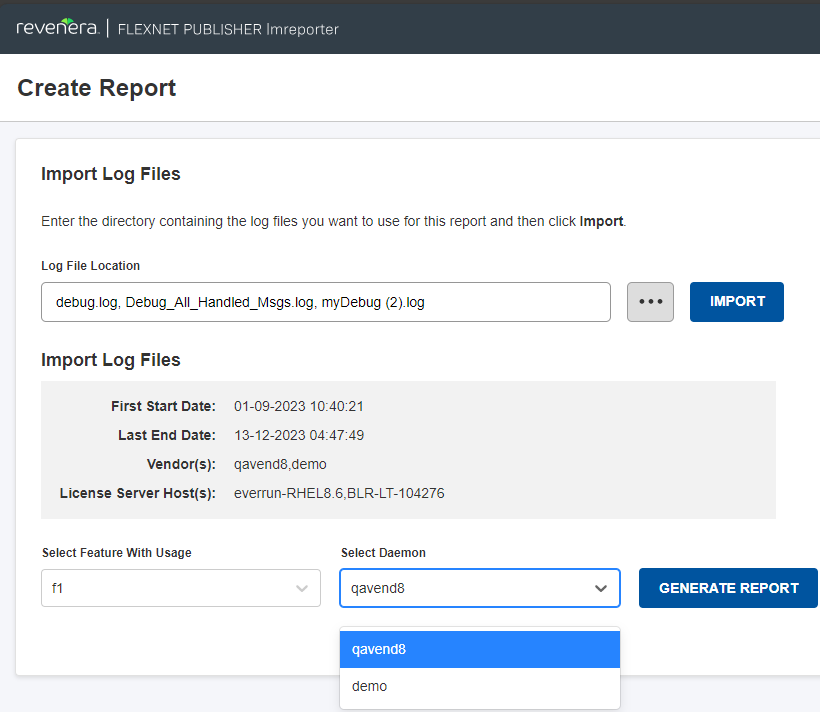
Select Daemon Drop-Down
Click the Generate Report button to generate the report based on the selections.