Enhanced Get User Input Panel - Advanced
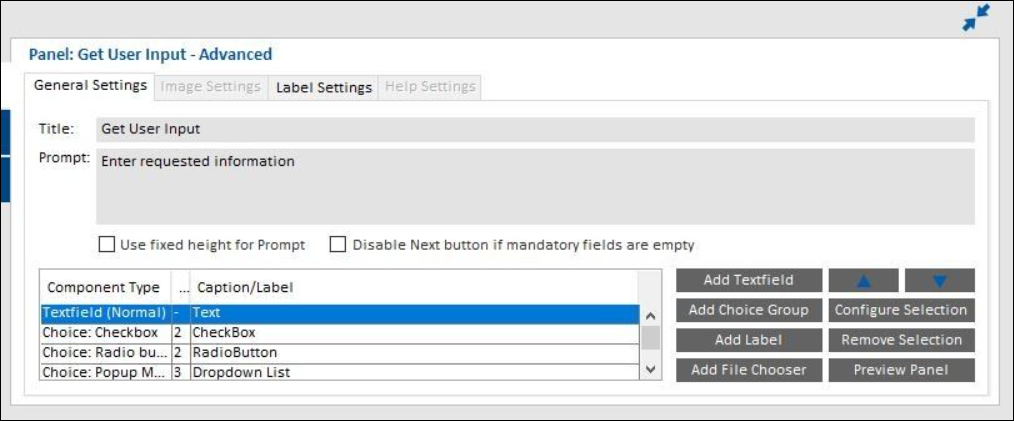
Added a checkbox “Disable Next button if mandatory fields are empty” option in the Get User Input panel to enable/disable the Next button for notifying unfilled mandatory fields. Either you can select or not select this checkbox based on the requirement.
| • | When checked, the Next button in the Get User Input panel would be disabled until user enters a value in the mandatory text field. |
| • | When unchecked, then a pop-up dialog appears prompting the user to provide values in the mandatory fields. |
By default, this checkbox is unchecked.
Note:This change was tracked in issue IOJ-2237346.