Managing Instances
The Instances page provides visibility into Dynamic Monetization instances and associated data.
A Dynamic Monetization instance is a host for line items belonging to a specific customer account. Each instance serves exactly one account, though an account may have multiple instances.
The Instances page helps you understand how tokens and rate tables are applied to customer usage. The data displayed on this page is retrieved from the Dynamic Monetization APIs.
This page is read-only and does not support creating or modifying instances.
Viewing Instances
The Instances page displays all instances created through the Dynamic Monetization APIs.
To view instances
| 1. | Click Dynamic Monetization > Manage Instances to open the Manage Instances page. |
| 2. | Use the search field above the tables to search for instances for a particular customer account. (Wildcards are not supported.) |
| 3. | Click an instance to open the Instance Details view. It has two tabs: |
| • | The Overview tab shows general instance information. |
| • | The Line Items tab lists associated line items. |
Common Use Case for Viewing Instances
A common use case is reviewing all line items associated with a specific customer account.
From the Instances page, you can locate an instance by filtering on the customer’s account ID and open the Instance Details page.
By default, the Overview tab displays summary information for the selected Elastic Access instance.
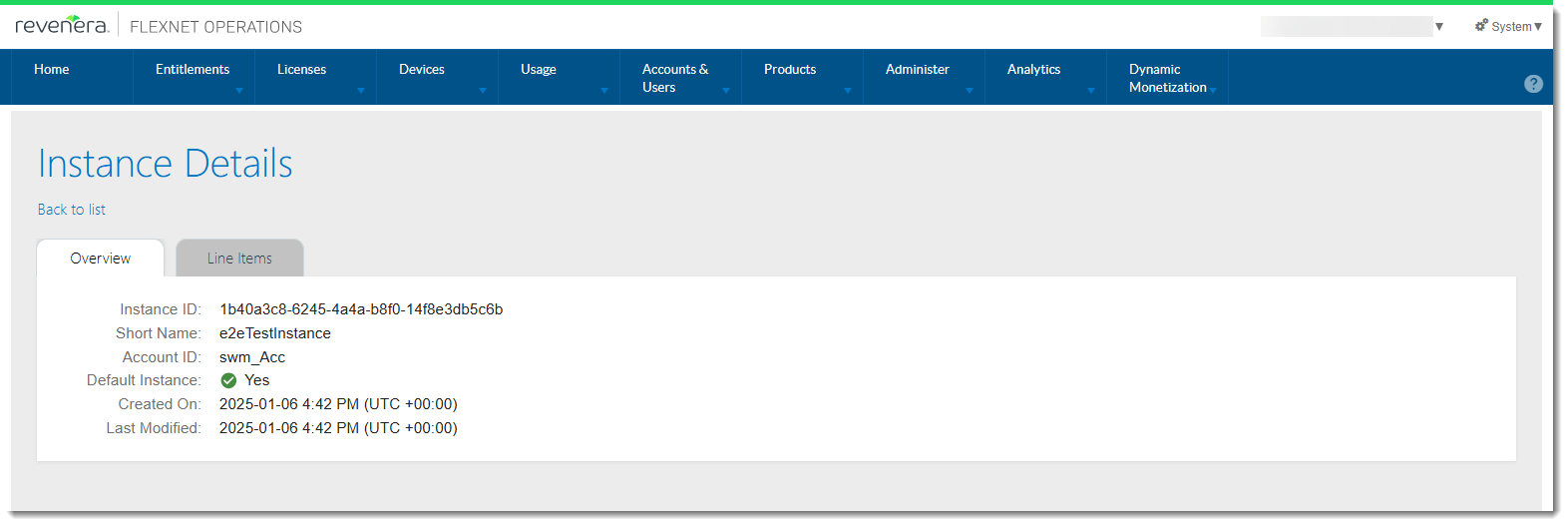
Figure 1: Example of the Instance Details screen with the Overview tab.
To view all Elastic Access line items belonging to the customer account, open the Line Items tab.
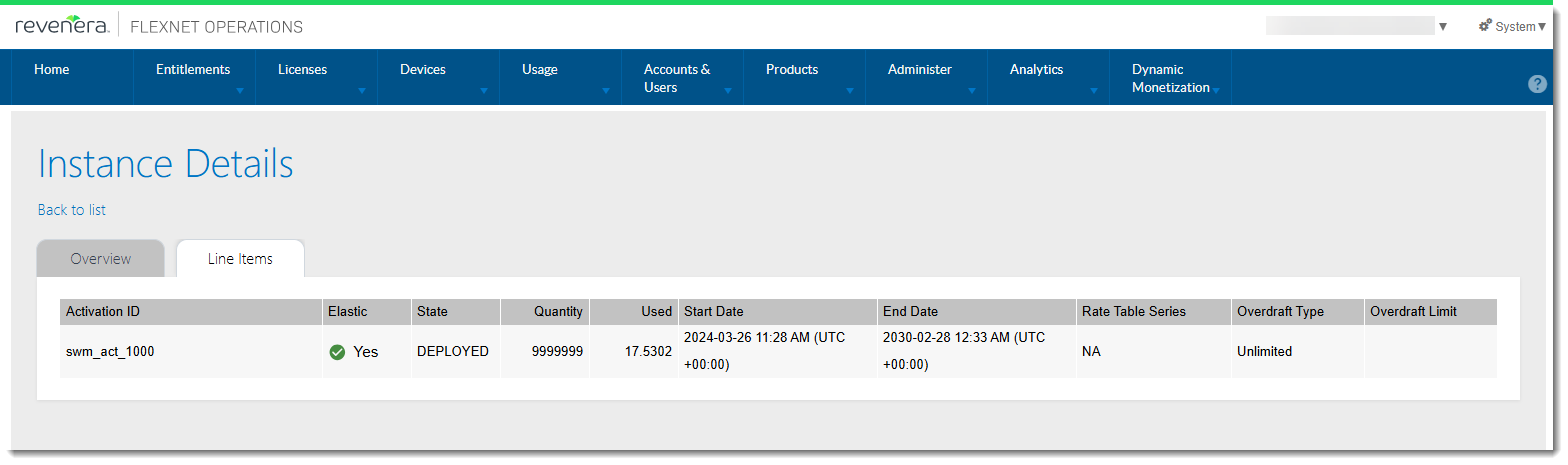
Figure 2: Example of the Instance Details screen with the Line Items tab.
The information shown on the Line Items tab in the Producer Portal corresponds to what end users see for their instance in the End-User Portal.