Accessing Analytics
Analytics is available only when your software producer has enabled the analytics functionality for the End-User Portal.
Access to Analytics is controlled through role-based permissions. Users must have the View Reports permission to access the Analytics Hub, Producer Shared Reports, and Download Manager pages. To create and manage report subscriptions, users must have both the View Reports and Subscribe to Reports permissions.
Users who sign in using an Activation ID or Entitlement ID cannot access Analytics.
When Analytics is available, use the Analytics menu to open the reporting areas and management pages.
To access Analytics:
|
1.
|
Log in to the FlexNet Operations End-User Portal. |
|
2.
|
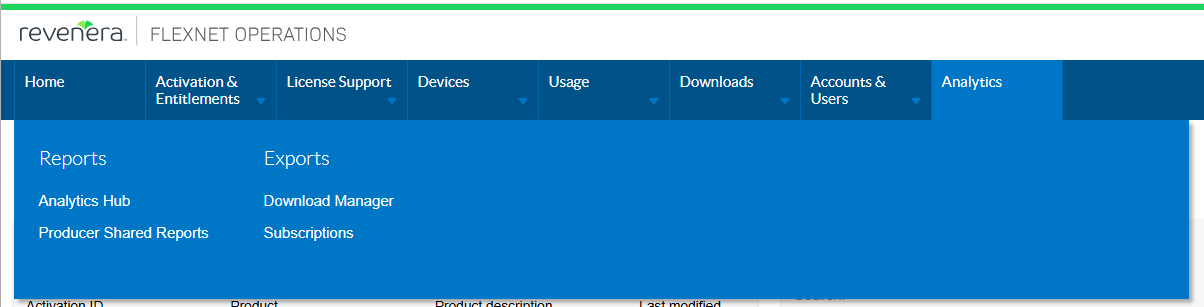
Open the Analytics menu. |
|
3.
|
Select the one of the following options: |
|
•
|
Analytics Hub—Summarizes entitlement, device, license server, and software download information. See Analytics Hub. |
|
•
|
Producer Shared Reports—Software producers can create reports in FlexNet Operations Producer Portal Analytics and make selected reports available to End-User Portal users. See Viewing Reports Shared By Your Producer. |
|
•
|
Download Manager—You can download reports and manage exported files using the Download Manager. See Download Manager. |
|
•
|
Subscriptions—You can configure a scheduled delivery of reports and their visuals. See Managing Subscriptions. |